Amplify BTPM Pods6.2.33
Publisher Description

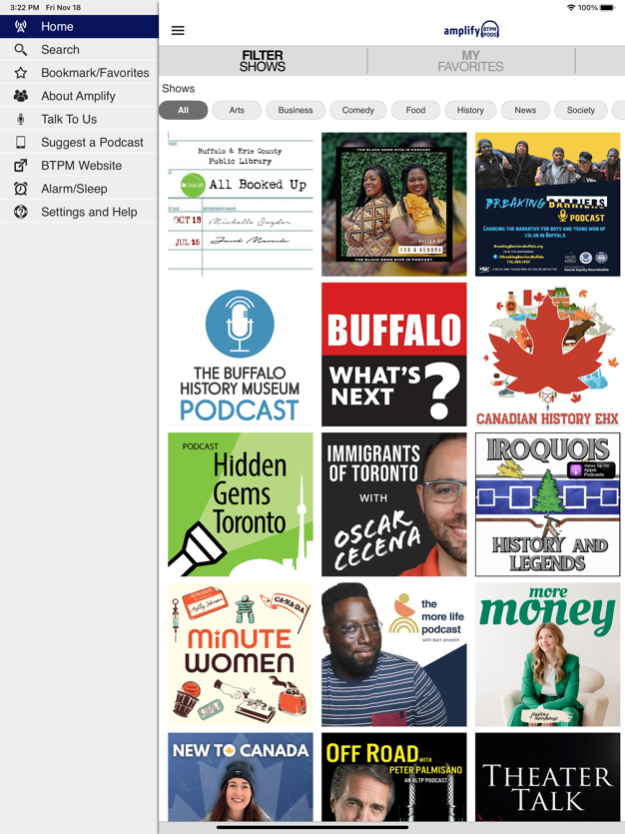

The amplify BTPM PODS app is the one (and only) place to find all of the amazing podcasts that are local to the Western New York and Southern Ontario—podcasts with topics, hosts and context that hit close to our home.
The app features podcasts from Buffalo Toronto Public Media alongside curated podcasts from talented creators from our region.
Stay connected with what’s trending, relevant, and relatable in our community. Find podcasts from storytellers, experts, hobbyists, and comedians as well as shows from local cultural institutions, media companies, universities, and more.
The amplify BTPM App allows you to listen to podcasts and pause and rewind the audio. Listen to podcasts in the background while browsing the web or catching up on your emails. You can add podcasts to your Favorites to create your own personalized experience, bookmark a podcast for later, and wake up to amplify BTPM PODS with the alarm clock.
The amplify BTPM App is brought to you by the people at Buffalo Toronto Public Media and Public Media Apps. We work to provide our valued listeners with great solutions to find what you want, when you want it, and where you want it.
Apr 2, 2025
Version 6.2.33
Some new improvements; BTPM has a new app which replaces the one you are currently using. Please download the new BTPM LISTEN app from the App Store. Once installed, please delete this older Amplify BTPM Pods app. This app will be removed from stores soon.
About Amplify BTPM Pods
The company that develops Amplify BTPM Pods is Western New York Public Broadcasting Association. The latest version released by its developer is 6.2.33.
To install Amplify BTPM Pods on your iOS device, just click the green Continue To App button above to start the installation process. The app is listed on our website since 2025-04-02 and was downloaded 4 times. We have already checked if the download link is safe, however for your own protection we recommend that you scan the downloaded app with your antivirus. Your antivirus may detect the Amplify BTPM Pods as malware if the download link is broken.
How to install Amplify BTPM Pods on your iOS device:
- Click on the Continue To App button on our website. This will redirect you to the App Store.
- Once the Amplify BTPM Pods is shown in the iTunes listing of your iOS device, you can start its download and installation. Tap on the GET button to the right of the app to start downloading it.
- If you are not logged-in the iOS appstore app, you'll be prompted for your your Apple ID and/or password.
- After Amplify BTPM Pods is downloaded, you'll see an INSTALL button to the right. Tap on it to start the actual installation of the iOS app.
- Once installation is finished you can tap on the OPEN button to start it. Its icon will also be added to your device home screen.
Program Details
General
System requirements
Download information
Pricing
Version History
version 6.2.33
posted on 2025-04-02
Apr 2, 2025
Version 6.2.33
Some new improvements; BTPM has a new app which replaces the one you are currently using. Please download the new BTPM LISTEN app from the App Store. Once installed, please delete this older Amplify BTPM Pods app. This app will be removed from stores soon.
version 4.6.28
posted on 2023-11-29
Nov 29, 2023
Version 4.6.28
Performance enhancements and bug fixes.
Your feedback helps us make our app better for everyone. Please send us your suggestions via the "Settings and Help" section of the app!
version 4.6.11
posted on 2023-06-10
Jun 10, 2023
Version 4.6.11
Performance enhancements and bug fixes
Your feedback helps us make our app better for everyone. Please send us your suggestions via the "Settings and Help" section of the app!
